Share a consignment on TLIP
You can share a consignment with another organisation on TLIP, giving them access to its documents.
On the consignment details page, click Share consignment.
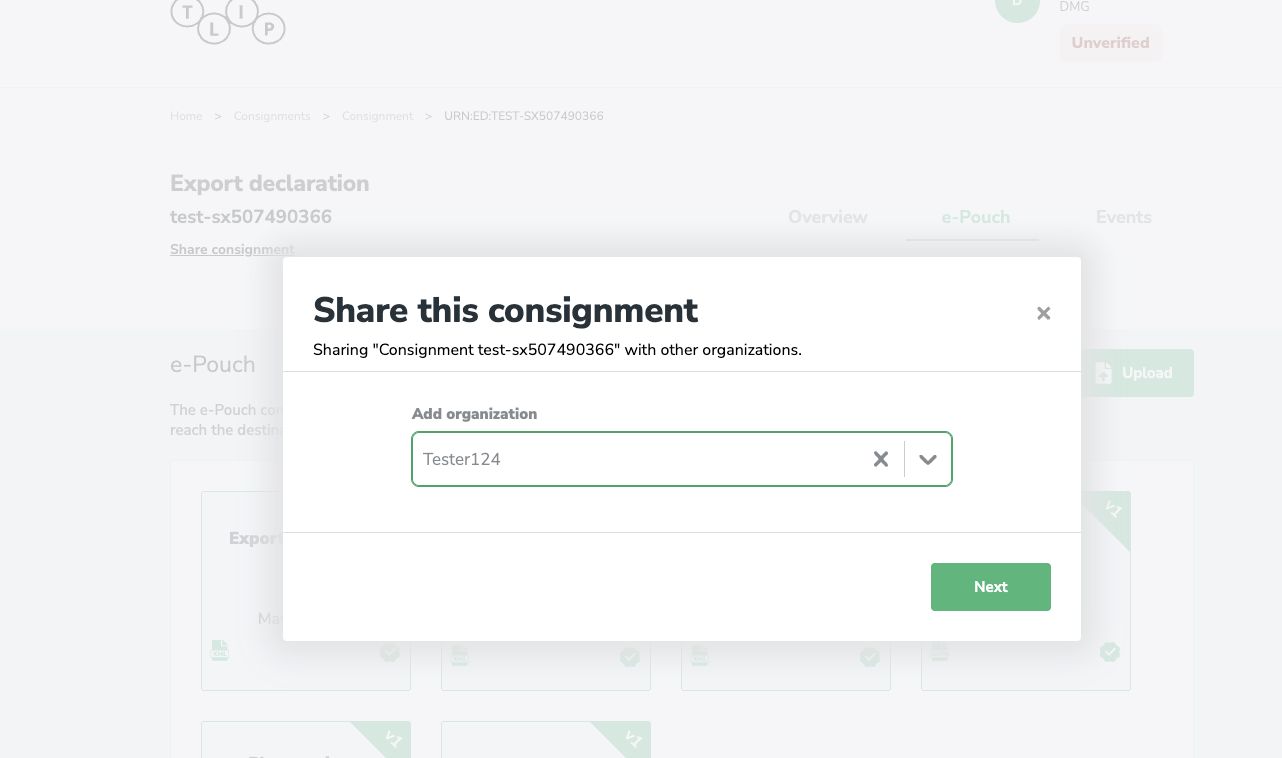
Enter the name of the organisation you want to share with and click Next.
Choose document access
Select whether the organisation can access all documents in the consignment or only specific ones.
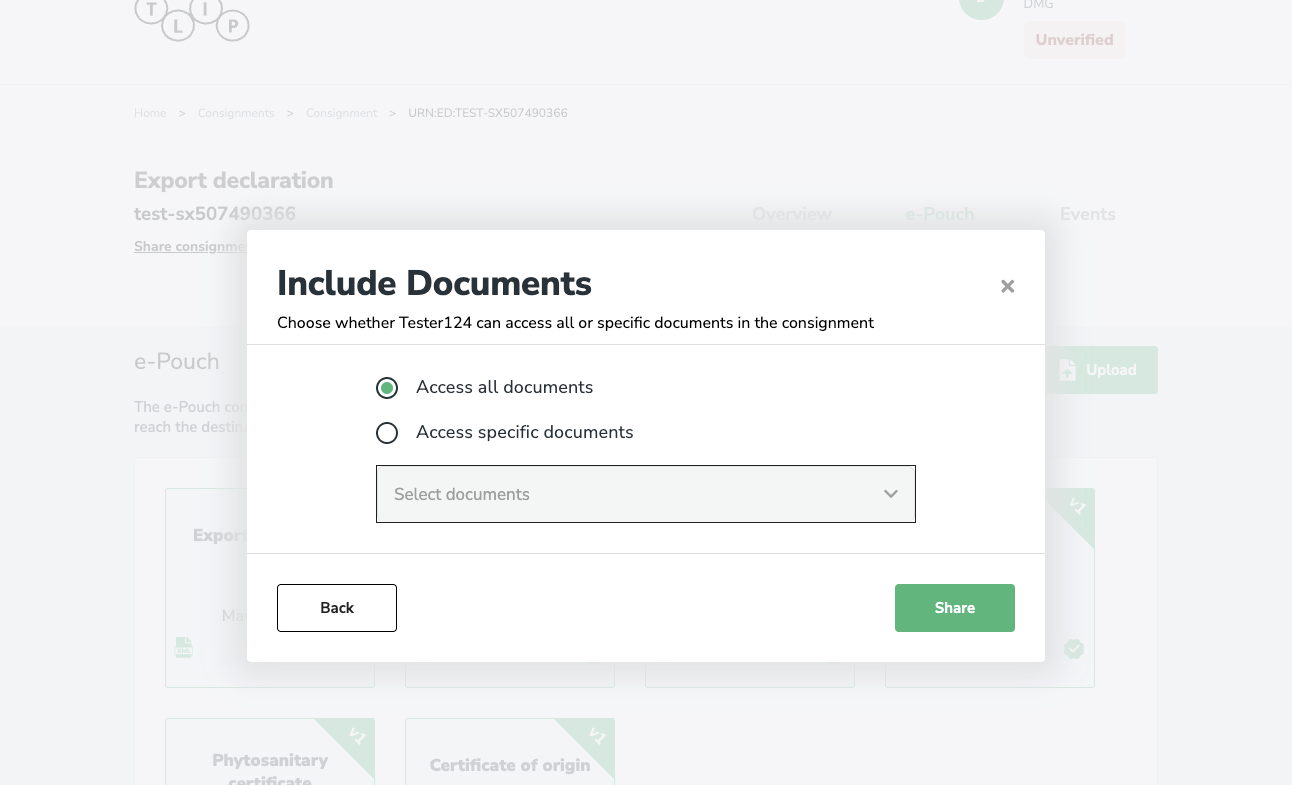
Access all documents
Select Access all documents and click Share.
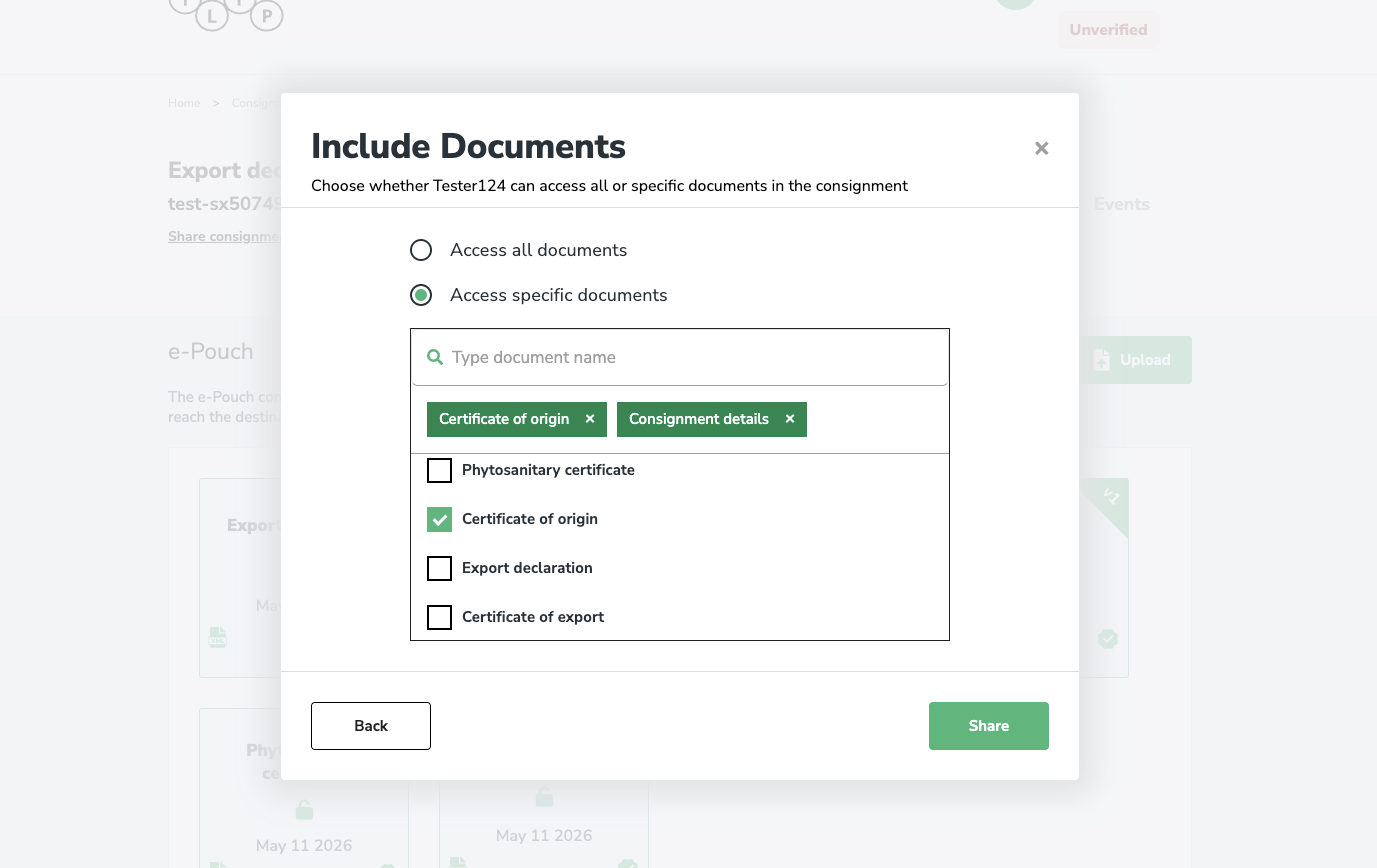
Access specific documents
Select Access specific documents, then search for and select the documents you want to share. Click Share to confirm.